Showing posts with label sky3ds. Show all posts

Monday, September 28, 2015

Some Exploits for 3DS Hacking

When we are talking about exploit or crack or hack, we are very familar with Smealum who is the very famous hacker in 3DS area. And so is yellow8, here we listed some exploit/crack methods yellow8 has released recently.

browserhax fright 
These are Nintendo 3DS system web-browser webkit exploits for Old3DS and New3DS.
This requires the following repo: https://github.com/yellows8/3ds_browserhax_common See that repo for usage info as well.
These are webkit exploits, so you may have to retry them multiple times before they work correctly without crashing.
Two exploits are contained here, one is implemented only for Old3DS, and the other is only implemented for New3DS:
  • Old3DS: 3dsbrowserhax_webkit_r158724.php, aka "sliderhax". All system-versions <=10.1.0-27(minus the first version of the browser) are supported, as of when this repo was released. This isn't actually fixed for the New3DS browser as of 10.1.0-27, but there's no known way to even have a crash trigger for it which actually works right. To trigger it, wait for the page to fully load. Then ideally zoom in all the way, so that the slider is displayed as large as possible. Then touch the far right of the slider at the exact location where the slider ends, within the slider bar(the location you touch might(?) be related to how reliable the exploit is).
  • New3DS: 3dswebkithax_removewinframe.php, supported on all system-versions below 9.9.0-26(or more specifically <{X.X.X-26}). The vuln used here was fixed for the New3DS browser with 9.9.0-26, but on Old3DS it's still not fixed as of 10.1.0-27. No user-input is needed to trigger this besides starting the page-load. The actual exploit after the heap-spray takes a while to trigger, since the heap-spray takes a while. Note that this is very unreliable.
  • 3dsbrowserhax_webkit_r158724.php in the initial form that got control over the object-data used in the use-after-free, is originally from January 2014. The vuln used here was discovered to affect Old3DS web-browser by ichfly.
  • 3dswebkithax_removewinframe.php: This is based on a certain PoC, see the source for details on that. This was implemented in March 2015, soon after the time the pastebin for the PoC was created.
See the following for a hosted version of these: http://yls8.mtheall.com/3dsbrowserhax.php

Home Menu haxx
When Home Menu is starting up, it can load theme-data from the home-menu theme SD extdata. The flaw can be triggered from here. The ROP starts running at roughly the same time the LCD backlight gets turned on.
Although this triggers during Home Menu boot, this can't cause any true bricks: just remove the *SD card if any booting issues ever occur(or delete/rename the theme-cache extdata directory). Note that this also applies when the ROP causes a crash, like when the ROP is for a different version of Home Menu(this can also happen if you boot into a nandimage which has a different Home Menu version, but still uses the exact same SD data). However, it seems that normally(?) Home Menu crashes with this just result in Home Menu displaying the usual error dialog for system-applet crashes.
Since this is a theme exploit, a normal theme can't be used unless you build with the THEMEDATA_PATH option below(the ROP runs a good while after the theme is loaded). Due to how this hax works, the theme is really only usable for BGM(as described below).
Source: https://github.com/yellows8/3ds_homemenuhax

Till now, you can view all the exploit for 3DS from this site: http://3dbrew.org/wiki/Homebrew_Exploits

Standalone Homebrew Launcher Exploits

The following homebrew exploits can be executed on a previously un-exploited system.  
Name Supported firmwares Requirements Author Install
Ninjhax 1.1b From 4.0.0-X up to and including 9.2.0-X, for X is between 7 and 20. A cartridge or eShop version (JPN-only) of "Cubic Ninja". smea Install
Ninjhax 2.1 From 9.0.0-X up to and including 10.1.0-X, for X up to and including 27. A cartridge or eShop version (JPN-only) of "Cubic Ninja". smea Install
Tubehax From 9.0.0-X up to and including 10.1.0-X, for X up to and including 27. The YouTube application and an internet connection. smea Install
smashbroshax (beaconhax) (New3DS-only) From 9.0.0-X up to and including 10.1.0-X, for X up to and including 27. Super Smash Bros 3DS (full-game or demo) and a way to broadcast raw wifi beacons. Yellows8 Install
browserhax (Old3DS) From 9.0.0-16 to 9.5.0-22, 9.5.0-23 to 9.8.0-25, 9.9.0-26 to 10.1.0-27 (New3DS) From 9.0.0-20 to 9.2.0-20, 9.3.0-21 to 9.5.0-23, 9.6.0-24 to 9.8.0-25, 9.9.0-26 to 10.1.0-27 Yellows8 Install
Note that ninjhax 1.x is still not obsolete. Even though ninjhax 2.x can be run on 9.3+, this was made possible (amongst other things) by sacrificing the memory remapping exploit used in ninjhax 1.x (rohax). Therefore, things like JIT engines for emulators can only be supported on ninjhax 1.x. Furthermore, ninjhax 2.x does not run on system versions below 9.0.0-X, while ninjhax 1.x does.  


Secondary Exploits

Installation of these exploits requires a previously exploited system to install. After installation, they can be used on their own.
Name Supported firmwares Requirements Author Install
ironhax From 9.5.0-X up to and including 10.1.0-X, for X up to and including 27. A copy of "Ironfall: Invasion" (not available on eShop as of August 11th, 2015) and a self-exploitable title. smea Install
oot3dhax From 9.5.0-X up to and including 10.1.0-X, for X up to and including 27. A gamecard or eShop-install of Legend of Zelda: Ocarina of Time 3D. Actual hax/payload: Yellows8/smea et all. Installer: Meladroit. Installer
themehax From 9.0.0-X up to and including 10.1.0-X, for X up to and including 27. Yellows8 Download

Exploits without Homebrew Launcher (Not recommended)

Warning: The following exploits can run code, but are missing a 3DSX launcher. They cannot launch any homebrew in the 3DSX format.
Name Supported firmwares Requirements Author Install
browserhax (Without the loader in the 3ds_browserhax_common repo) (Old3DS) From 2.1.0-4 to 3.0.0-6, 4.0.0-7 to 4.5.0-10, 5.0.0-11 to 7.0.0-13, 7.1.0-16 to 9.5.0-22, 9.5.0-23 to 9.8.0-25, 9.9.0-26 to 10.1.0-27 (New3DS) From 9.0.0-20 to 9.2.0-20, 9.3.0-21 to 9.5.0-23, 9.6.0-24 to 9.8.0-25, 9.9.0-26 to 10.1.0-27 Yellows8 Install

Sky3ds can support some of these exploits working on 3ds console to realize the function of region free, CIA gaming, SFC/SNES Emulator etc.

Wednesday, August 26, 2015

Why buy Sky3ds from 3DStown.com?

There are so many Sky3ds resellers out there, some for USA market some for France market and some for Germany market, but why buy Sky3ds from 3DStown.com?

1, 3DStown is an official legit reliable Sky3ds reseller listed on Sky3ds official site, it's secure shopping in 3DStown.
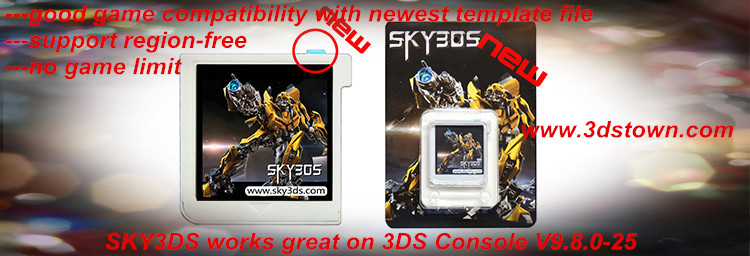
2, Sky3ds provided by 3DStown is new Sky3ds version 2 with blue button and new fresh packing cardboard, it's genunie Sky3ds 3ds game flashcard from original Sky3ds factory. All the Sky3ds is strictly inspected and tested before sending out.
 

3, When buying Sky3ds in store 3DStown, you can choose either pay by Visa credit card or if you want to do other kind of payment please email us at sales@3dstown.com.

4, The new Sky3ds provided by 3DStown is the lowest official retail price, buying 2 Sky3ds can get discount or get one free Ace3ds Plus.

5, During shopping in store 3DStown you can get live help by Skype, our service center will help to issue all of your doubt your concern online, you can save your time during shopping.

6, Shopping in 3DStown you can select your shipping method either by HongKong Post DHL Post free shipping or by FedEx with extra cost $22~28, with different Sky3ds shipping you can either save your money or save your time.
Note: Shipping by HongKong Post or DHL Post will take around 15-25 working days to your place. Shipping by FedEx will take around 2-5 working days to your place.

7, All Sky3ds orders can be shipped out within 24 hours once payment get confirmed. You will get valid tracking for your Sky3ds order, your parcel can be tracked within 24-48 hours, tracking site:
By FedEx: http://www.fedex.com/us/track/
By DHL Post: https://www.globalmail.dhl.com/web/portal-asia/traceit  (Leave the DGM Item# empty and fill tracking in Item Cust_Ref)
By HongKong Post: www.17track.net/en/result/post.shtml

8, You can always get free Sky3ds Template Download and also you can ask for free 3ds game roms from 3DStown Team, just feel free to email to sales@3dstown.com

9, You will get good service during shopping Sky3ds in 3DStown:
---On-Time Delivery: Full refund if product isn't received in guaranteed delivery time
---Refund Policy: Full refund if product isn't received in guaranteed delivery time
---Longer Protection: 15 days more protection after order completion
---Guaranteed Quality: Quaranteed Quality or Full refund


10, You can give Sky3ds feedback or review after you used Sky3ds provided by 3DStown:
---If you are satisfied with our product and service, please leave us positive feedback & good review!
---If you are unhappy with our service or any other problem, please contact us before leaving feedback and we will resolve the issue immediately, thank you!


11, You will get good guarantee for your Sky3ds order:
We offer 30 days warranty for all the items in our store. 
---If you donot want the ordered product and decide to return it, you have to ship it back within 3 days upon your receipt and make sure it is in original packing condition which will not influence its re-sale. we will refund you the order money but except for shipping cost. 
---If a broken, faulty, non-working or wrong item was happen to received by you, please contact us once you receive the package, and our customer service will help to solve the problem. Sent us a screenshot of this faulty will be more better. If we can confirm that it is really a faulty or wrong item, you can send it back, and a new item will be sent to you after we received your package.
Note : If it's conevience for you, pls write your order number and email address on the returned package, so that our customer service can search your information quickly and effectively. Thanks for your understanding. 

---If the package was broken or nonworking beyone our warranty, we can give you some discount to buy a new one in our store or you can ship it back to us, we can exchange a new item to you, but sorry to say that you have to bear shipping fee for sending a new one to you. 
---We will not accept to exchange or refund a product if it was damaged or broken by you or if it suffered damage anything directly or indirectly caused by you. 

Buying new Sky3ds from official reliable store 3DStown you will never be regret, you  deserve good price good service from 3DStown!
Go to Read 3DStown Store Policy before Start Shopping New Sky3ds.


Tuesday, August 11, 2015

3DS Flashcard Comparison: Sky3ds and Gateway 3DS


3DS Flashcart comparison chart
  Gateway 3ds Sky3ds
Hardware
3DS / XL Yes (v4.1-v9.2) Yes (all versions) 
2DS Yes (v6.0-v9.2) Yes (all versions) 
N3DS Yes (with some extra requirements) Yes (all versions) 
Expandable Memory Micro SD(XC)
128GB
Micro SD(XC)
128GB
SD Slot Top Top
Spring loaded Yes & No No
USB Slot No No
LED Yes Yes  
FPGA Upgradeable Yes Unknown
Region free Yes No
Software compatibility
ROM Yes Yes
Retail cartridge Yes Yes new packing
E-shop 3DS games Yes No 
E-shop VC games (not GBA) Yes No
E-shop GBA VC games No No
Image written ROM mode Yes Yes
File system ROM mode (FAT32) Yes
Split 4GB+ ROM
No
File system ROM mode (exFAT) Yes No
SDK5+ ROM Yes Yes
SDK7+ Yes Yes
Card2-type games (ROM) Yes Yes
Card2-type games (Retail Cartridge) Yes N/A
Card2 Converted to Card1-type games (ROM)  Yes Unknown
EmuNAND Yes (up to 9.9) No
EmuNAND 8+ Yes
Flashcart required
N/A
EmuNAND 9.6+ on New 3DS No N/A
eShop Yes Yes
Homebrew Yes No
Software Features
Region free (ROM) Yes No
Region free (Retail Cartridge) • 2.0b2 mod
by Normmatt
• 2.0 Omega
N/A
Update partition spoofing (ROM) Yes No
Update partition spoofing
(Retail Cartridge)
No N/A
Manual Savegame Backup Card1 type only Unknown
Real Time Savegame Backup •Card2 type only
•Save in the ROM
Unknown
Local Play Yes Unknown
Online (ROM) Yes Yes
Online (Retail Cartridge) Yes N/A
Dump Retail Cartridges Yes No
Cartridge Savegame backup/restore Yes No
Cartridge & ROM Savegame crossover .3dz with the
same Unique ID
N/A
Cheatcode support No No
NAND Dump support Yes No
NAND Restore support Yes No
Downgrade support Yes (3DS only) No
Is a clone or a re-brand No No
Possible Rip-off clones* Yes Yes
  Gateway 3ds Sky3ds
* Rip-off clones: Whether clones of this cart exist. This line doesn't reflect if this cart is a clone of another one, but if you have chances to buy a cloned (rip-off) one instead of the expected product. For example if different manufacturers are selling a card with the same name.
* eShop access: Not working anymore since May 13th 2014 if your EmuNAND version is not updated to the latest system menu and eshop version. Online games are still working on old system menu version, but only if you don't need to download an update.
* Cartridge support: Not possible to launch EmuNAND Classic with R4i/3DSLink/Orange3DS on latest version.
* EmuNAND: Not possible to create a new EmuNAND dump with R4i/3DSLink/Orange3DS on latest version. Existing emuNAND will still be used automatically at launch.
* Region Free: Possible on 2DS, 3DS, and 3DS XL with a system menu version lower than 9.4 using smealum's RegionThree, Or on N3DS/3DS/2DS on 9.2 or 9.7 using smealum's RegionFour.

If you want buy the either 3ds flashcard Sky3ds or Gateway 3ds just feel free to email store 3DSTOWN to get the best quote: sales@3dstown.com

Monday, August 10, 2015

Order List from store 3dstown.com

3DSTOWN.COM is a reliable store mainly embark on providing all brands of 3ds/ds flashcarts, such as Sky3ds, Gateway 3DS, Ace3ds Plus, R4i Gold 3DS, R4i SDHC 3DS RTS the red card, R4i SDHC RTS Lite the silver card, R4i SDHC Dual Core the white card, R4i Gold Pro, Supercard DSTWO, EZ FLASH IV, R4i Gold Deluxe Edition and some other game flashcards. 

3DSTOWN.COM also provide iPhone cases, iPad cases, Keyboard cases, game console controller, xbox/ps3/ps4 accessories and other game accessories. We promise, all items are 100% from official team and you will receive your items with good quality.

There are so many hot selling 3ds/ds game flashcards in store 3dstown.com, visiting and buying from 3dstown you will never be regret! Just viewing below partial Sky3ds Order List from 3dstown, there are much much more order didnot displayed here, buy or not buy? your own decision!


Tuesday, July 28, 2015

NTR CFW 3.0 released! Sky3ds can successfully install it to old & new 3ds & 2ds!

NTR CFW 3.0 Download: NTR CFW 3.0
Sky3ds from Authorized store: 3DSTOWN.COM

NTR CFW is mainly used for region free and running gold finger cheat function, the last version is 2.2(which only support new 3ds 9.0-9.2), but now the NTR CFW 3.0 added some additional functions:
---support old 3ds and 2ds 
---BootNTR.cia loading method is added, the Cubic Ninja is no longer needed.
---support all region, also support most emuNAND version.
---the stability is improved. 

Since the new NTR CFW 3.0 is installed by cia, so it only supports new & old 3ds v9.2 or below version(Sky3ds and Gateway hacks only support v9.2 or below version).

Tutorial for NTR CFW 3.0 installed by Sky3ds:
Step 1: By using the Ninjhax 2.0 to install the Pasta CFW V1.3, and then use the FBI to instal the Devmenu.cia(or BigBleMenu.cia), detailed steps view here:
http://3dstownet.blogspot.com/2015/06/pasta-cfw-updated-to-version-13beta-4.html


Step 2:  Extract the downloaded NTR CFW 3.0, copy BootNTR.cia and ntr.bin into root of the micro sd card of your 3ds console.
Step 3: Go to get the game rom 's ID(we get the Fire Emblem IF game ID from this website: http://www.speedfly.cn/category/game/nintendo/3ds_cheat)


and also download the game's NTR CFW cheat file from that website(we tested with Fire Emblem IF NTR CFW V20150723), extract the file and you will get file "cheat.plg"

and then make a folder named "plugin", inside this folder, make another folder named by game's ID such as folder named by Fire Emblem IF game ID "000400000012DE00" in which you should put into the file"cheat.plg", and then copt folder "plugin" into root of the micro sd card of your 3ds console.

Step 4: Write games ROM into Sky3ds micro sd card and insert Sky3ds into 3ds console. Also Insert the console micro sd card back to your 3ds, enter the Pasta CFW system, and by clicking the Devmenu(or BigBlueMenu) to install the BootNTR.cia, when completed, press button A to confirm:

Step 5: When the installation completed, back to Devmenu, click to open the BootNTR icon, the NTW CFW 3.0 will be installed automatically:

When BootNTR installation completed, press button Home back to home menu:

Step 6: In the Devmenu home menu, you can load in the NTR CFW 3.0 by press button X+Y at the same time, this means you have successfully installed NTR CFW 3.0 by Sky3ds:

Enjoy the gold finger cheat function with NTR CFW 3.0!

Friday, July 17, 2015

What is BigBlueMenu and how to instal the BigBlueMenu?

What is BigBlueMenu? All in one word: BigBlueMenu is the cia file installer!

BigBlueMenu is an improved version of the Devmenu and it was made by BigBlueBox.
What is Big Blue Box?
BigBlueBox is a Developer menu/CIA manager for homebrew enabled 3DS consoles. You can load BigBlueBox as a 3ds rom and then install the .cia version so BigBlueBox is always accessible from your home screen, allowing you to install CIA packaged apps, games and emulators as you pleased.
Note: Installing CIA's can be risky and it is only recommended you do so on Emunand, not your Sysnand.

The Devmenu/BigBlueMenu is a program for the 3DS console that allows the management of programs installed in the 3DS console. That means it is possible to install and uninstall programs in the 3DS console using BigBlueMenu.

How to instal the BigBlueMenu?
Step 1: Download the BigBlueMenu file and extract the contents to your computer.  

You will get these two files. One is in 3DS format, the other is for CIA format. Only the BigBlueMenu.3ds can be used via Gateway red card, so put it to your micro sd card of gateway red card. And put BigBlueMenu.cia to the root of your Console SD card (the one inside the 3DS console).
 

Step 2: Now Gateway card only support 3DS System v4.1 to V9.2. You can then load into the GW mode. 

Step 3:  Press the select, you will see the game menu and find this one (BigBlueMenu). Choose it one just like you do for a 3ds game. In the 3DS menu, the BigBlueMenu's icon will appear.

Step 4: Press button A enter into the interface which you need to instal the BigBlueMenu.cia file:

Press button A start installing .cia file waiting for it 100% completed:


Then press Home button back to the home menu, you will find the new bigbluemenu icon like wrapped gift box in the screen, and that program is the BigBlueMenu that you just installed.

Attention:
  • Do not try to open installed programs while you're on sysNAND menu even if they show up because it won't work and might cause problems. The exception is if it is patched to work on lower firmware version.
  • CIA's can be risky and it is only recommended you do so on Emunand, not your Sysnand.
  • After installing, you don't need the cia file anymore since the game is installed already and so you can delete it from the SD card in order to save space These program will always show on the menu.
  • You can install the game pathcs, dlc patchs and 3ds game. But you can't install the DS game. The cia file is wonderful and very convenience.
  • CIA games are always smaller in size than their rom counterpart. Usually the size that they have and that you can see in the computer, will be the size they'll occupy on your SD card after being installed.

Sky3ds support CIA Installation with Pasta CFW for N3DS/O3DS
Finally, we can install .cia files on 3DS console without Gateway. The releasing of Pasta CFW can help sky3ds card users put .cia on old 3ds and new 3ds console with limited firmware N3DS 9.0-9.2 and O3DS 4.1-4.5 / 8.0-8.1 / 9.0-9.2. It also relies on the Ninjia exploit and need to run the game Cubic Ninjia to work. Compared to Gateway card, Pasta cfw even suppport unsigned DSIware and GBA Virtual Console. The latest version is 1.3 beta 7, which is updated on 21th, June, 2015. You can check in gbatemp forum(https://gbatemp.net/threads/pasta-cfw-a-cfw-that-allows-unsigned-cia-to-be-installed-on-old-and-new-3ds-required-ninjhax.388925/). Last but not least, if you have or plan to get a Sky3ds game flashcard, yes, it's the right time, because that Sky3ds in our site is under big discount. Catch the chance to buy the best 3ds game hacked card now!


Tuesday, July 14, 2015

Gateway ultra v3.3 public beta released, this make Emunand 9.9 can work on Old Nintendo 3ds/3ds xl console.

Nintendo 3ds has released their new firmware 9.9.0-26 and now the Gateway also has released their Gateway ultra v3.3 public beta, this means the Emunand 9.9 can work on Old Nintendo 3ds/3ds xl console.
 
GATEWAY ULTRA v3.3 PUBLIC BETA
And we are back with another quick emunand update!
Today we present Gateway ULTRA 3.3, to bring support for latest 9.9 emunand system firmware for Old 3DS.
While we are still hard at work at improving our firmware, we hope to have our special new features ready soon!
 
Gateway 3ds game flashcard with ultra 3.3 supports Emunand 9.9 on O3DS/O3DS XL. Emunand is not sysnand. Users can play free 3ds games with Emunand 9.9 with original 3ds/3ds xl console stay firmware from v4.1 to v9.2, but can't use GW card on O3DS/N3DS with firmware lower than 4.1 or higher than 9.2. So, if you guys already updated the new 3ds, 3ds or 2ds console to the latest version, choose SKY3DS flashcard to enjoy hacked 3ds games not GW.


Monday, July 6, 2015

Sky3DS updated template file [07/07/2015]

As always do Sky3ds team is working diligently to imprive the Sky3ds stability and compatibility, the newest updated template file fixed some bugs and added some new games, details can be found in Sky3ds official website: http://sky3ds.com/download.html 

* Sky3DS updated template file [07/07/2015]

   [Mirror Download Link]
Change logs:
1.Fixed some bugs.
2.Added game:
CTR-P-BCREB268 =Ace Combat Assault Horizon Legacy Plus (USA)_temp
CTR-P-BWNJ73A7 =Wannyan_Pet_Shop_v02_JPN_3DS-HR_temp
Sky3ds till now is the most popular and hot talking 3ds game flashcard, it can work great on any 3ds console version from 9.8.0-25 E/U/J, what's more, Sky3ds support region free there is no region/area/country difference when you want to play different version games E/J/U, there is no game limit any more, as long as your micro sd card capacity is large enough up to 128GB you can write almost all the hot 3ds games rom into Sky3ds and enjoy the latest 3ds games, is it cool and convenient to enjoy gaming in an economic way?

Friday, July 3, 2015

Sky3ds support CIA games and go to eshop with help of PASTA CFW V1.3

In order to test Sky3ds support CIA games and go to eshop with help of PASTA CFW V1.3, the console should meet the requirement: NEW 3DS Version 9.0-9.2

Tool download: FreeMultiPatcher(beta 0.4)

Step 1: Use Sky3ds to instal the PASTA CFW V1.3, and also instal the Devmenu.cia or bigbluemenu.cia. View instructions here: http://3dstownet.blogspot.com/2015/06/pasta-cfw-updated-to-version-13beta-4.html

Step 2: Instal FreeMultiPatcher(beta 0.4) by using the Devmenu.cia, after installation completed you would find a new gift box in home interface.


Open the gift box software, you will see the first option is for eshop and the second option is for regionfree, the default is ON.  Go to option "save" and press button Start in order to apply patches and exit:


Step 3: By using the DevMenu.cia, instal the cia games which you need to play with regionfree, let's take Mario Tennis(US Version) as an example:


Click button A in order to import the cia game Mario Tennis(US Version):


Step 4:  Now you can go to eshop(pls note that: generally speaking your 3ds console should be the newest version system if you want go to eshop, old version will remind you to update your console when you entered eshop, but with this way no need to update your console you can either go to eshop or play cia games with regionfree.)


Friday, June 26, 2015

Why buy Sky3ds?

Sky3ds is the most popular and hot selling game flashcard right now, why so many people choose Sky3ds?

First of all, Sky3ds can work great on any 3ds console V9.8.0-25 now support newest firmware V9.9.0-26, including the console NEW3DS/3DSLL, OLD3DS/3DSLL/3DSXL, 2DS.

Secondly, Sky3ds is one of the most widely used 3ds game flashcard for playing 3ds games, but among the 4 game cards(Sky3ds, gateway 3ds, R4i Gold 3DS Deluxe Edition, MT-Card) Sky3ds is the most famous and hot selling and popular.

Thirdly, Sky3ds can support playing many 3ds games in one card, there is no game limit as long as your micro sd card capacity is large enough for games ROM.

Fourthly, Sky3ds support PASTA CFW(4.1-9.2), that means no matter you console is old or new, you can always enjoy the latest hot games.

Fifthly, Sky3ds support region free, newest regionFOUR is totally no problem for Sky3ds, with this feature, you can download JP games to your EUR console or on the contrary, there is no region or language difference during playing games.

What's more, Sky3ds support micro sd card/TF card capacity from 2GB-128GB, totally can enjoy different kind of games ROM.

And one more thing, Sky3ds team is always hard working and update their Sky3ds Template File and Sky3ds DiskWriter once there is new game in the market or there is a bug in game file, Sky3ds team is really paying attention on customers satisfaction all the time.

Sky3ds is definitely worth buying, you can find all the authorized resellers list in official sky3ds website, 3dstown.com is one them selling Sky3ds with good price and stable reliable quality.


Thursday, June 25, 2015

Sky3DS updated template file [06/24/2015]

* Sky3DS updated template file [06/24/2015]

   [Mirror Download Link]
Change logs:
1.Fixed some bugs.
2.Added game:
1287 - LEGO Jurassic World (France)
CTR-P-BFYJ2BB3 =Fire Emblem If - Anya Oukoku Fire Emblem If - Black Kingdom JPN
CTR-P-BFXJDE48 =Fire Emblem If - Byakuya Oukoku Fire Emblem If - White Kingdom JPN
CTR-P-BFZJ47EE =Fire Emblem If JPN

Sky3DS updated template file [06/23/2015]

* Sky3DS updated template file [06/23/2015]

   [Mirror Download Link]
Change logs:
1.Fixed some bugs.
2.Added game:
1242 - RAISHI JPN
1247 - Boku wa Koukuu Kanseikan - Airport Hero 3D - Haneda All Stars (Japan)
1272 - Tribe Cool Crew - The G@me JPN
1275 - Tetsudou Nippon! Rosen Tabi - Ohmi Tetsudou Hen (Japan)
1285 - Popolocrois - Bokujou Monogatari (Japan)

Tuesday, June 23, 2015

Sky3DS updated template file [06/20/2015] supports playing game Harvest Moon The Lost Valley EU

We tested Sky3ds supports playing game Harvest Moon The Lost Valley EU on 3ds console V9.4.0-21 E

* Sky3DS updated template file [06/20/2015]

   [Mirror Download Link]
Change logs:
1.Fixed some bugs.
2.Added game:
1286 - Harvest Moon The Lost Valley EU


More details please view 3dstown.com official blog: 3DSTOWN NEWS

>>>Go to Buy Sky3ds+16GB Kingston Micro SD Card


Thursday, June 18, 2015

Sky3DS updated template file [06/18/2015]

In the latest Sky3ds template file, hot games LEGO Jurassic World and Dr. Mario JPN have been added. 

Game download site: http://www.3dsiso.com

* Sky3DS updated template file [06/18/2015]

   [Mirror Download Link]
Change logs:
1.Fixed some bugs.
2.Added game:
1282 - LEGO Jurassic World
Dr. Mario JPN


Sky3ds works great for playing game Dragon Ball Z - Extreme Butouden JPN


1, Download Dragon Ball Z - Extreme Butouden JPN  to your PC. You can download the game here: http://www.3dsiso.com/

2, Download the newest Sky3ds template file and newest Sky3ds DiskWriter:
---Sky3ds template file(06/14/2015)
---Sky3ds DiskWriter2.02b1

3, Insert micro sd card into a card reader connecting to your PC, copy the downloaded sky3ds template file and diskwriter to root of this micro sd card. VIEW INSTRUCTIONS IN PAGE HERE.

4, Insert this micro sd card into Sky3ds and insert Sky3ds into your ds/3ds console, turn on your console:

5, Run the game and enjoy playing Dragon Ball Z - Extreme Butouden JPN:


Please note you tested on DS console V9.8.0-25J and 3DS Console V9.1.0-20J, both works great!


BUY SKY3DS+16GB Kingston Micro SD Card NOW!